(Photo by Joshua Fuller on Unsplash)
In today’s digital age, a reliable home printer remains an essential tool for many households and home offices. Whether you need to print documents, photos, or school projects, the right printer can make a significant difference in quality, convenience, and cost-effectiveness. From versatile all-in-one inkjet models to efficient laser printers, the market offers a wide range of options to suit various needs and budgets. This article explores the best home printers available, considering factors such as print quality, speed, running costs, and additional features to help you find the perfect printing solution for your home. As always, we’d like to see your own recommendations in the comments below!
StudyFinds is a research-driven platform that analyzes and synthesizes expert recommendations from trusted sources. Rather than writing reviews ourselves, we meticulously compile consensus findings from leading industry experts and established publications to save consumers valuable research time. Each article represents hours of analysis across multiple authoritative sources to identify the most consistently recommended choices.
5 Best Home Printers, According to Tech Experts
1. HP OfficeJet Pro 9015e
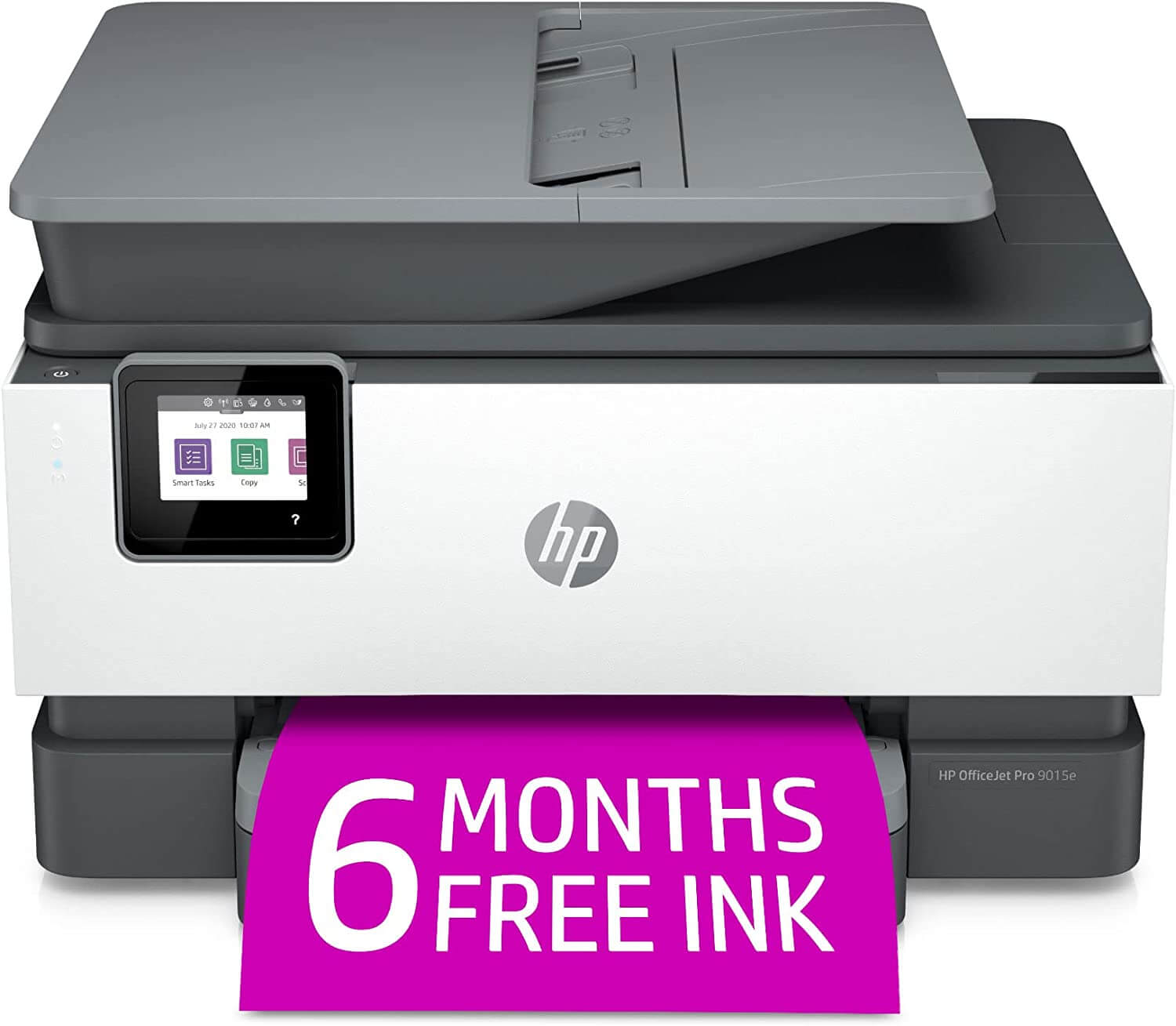
If you’re in the market for a new home printer, you should check out the HP OfficeJet Pro 9015e. This little powerhouse has been turning heads in the tech world, with PCMag singing its praises as the top choice for everyday use. They’re particularly impressed by its near laser-quality text output and its ability to outpace many competitors in both speed and duty cycle.
But it’s not just about performance – this printer is also a breeze to set up. The New York Times finds it to be one of the easiest printers to get up and running. They were also impressed by its crisp text documents and glossy photos, noting that it won’t break the bank when it comes to ink costs. If you’re looking to save even more, HP offers an Instant Ink subscription program that could help you keep those printing costs down.
While it might not be perfect (Forbes points out that a second paper source would be nice, and its photo printing could use a little improvement), it’s still a standout in the crowded printer market. With its stylish looks and speedy, high-quality printing, it’s hard to go wrong with this model. In fact, Forbes goes as far as calling it a “superb home printer.” So if you’re drowning in a sea of printer choices, this HP model might just be the lifesaver you’re looking for.
2. Epson Workforce Pro WF-4820
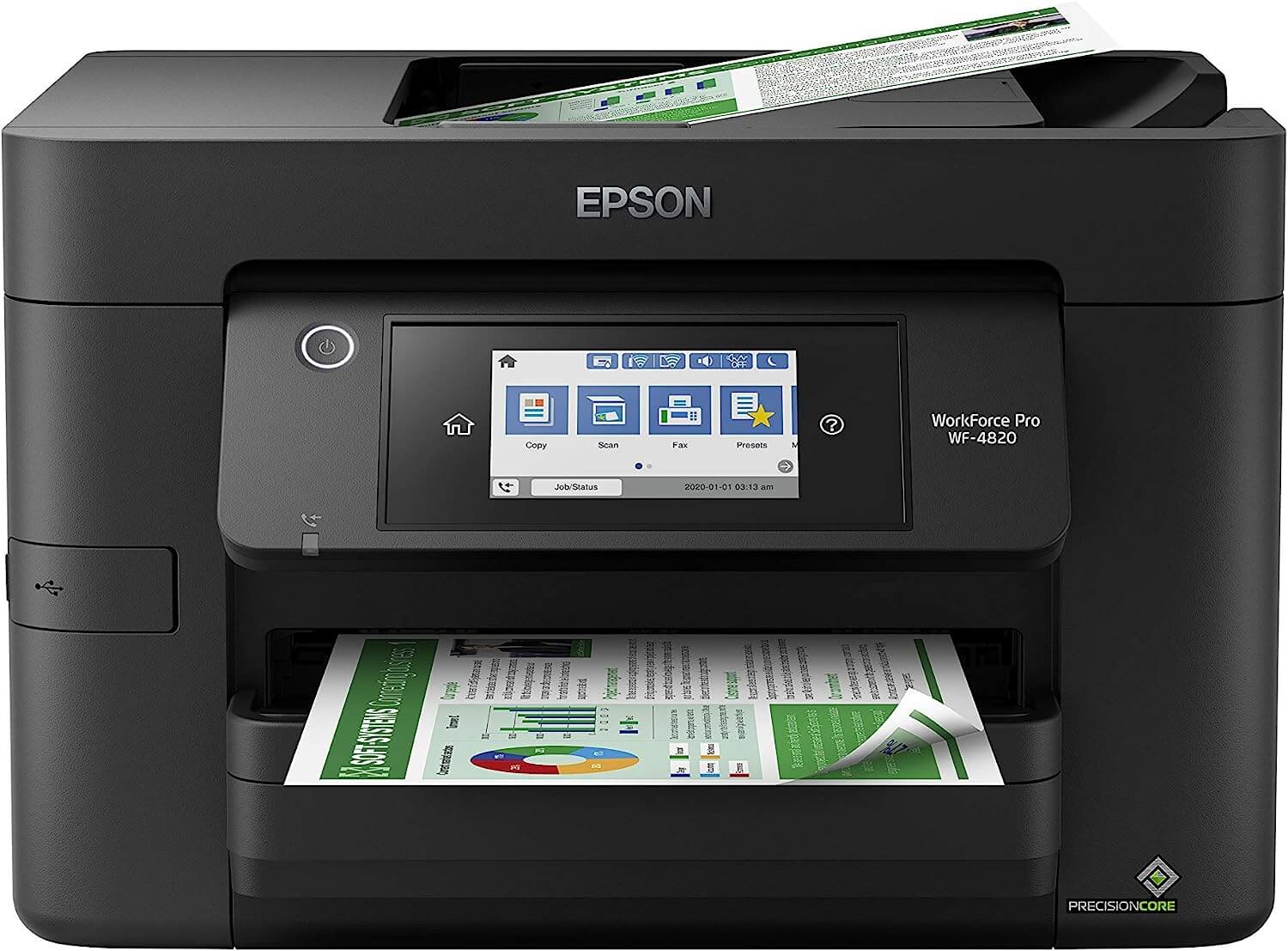
If you’re looking for a printer that can keep up with your busy lifestyle, the Epson Workforce Pro WF-4820 is the ticket. TechRadar is particularly impressed with this inkjet’s speed, noting that it can outpace some laser printers when it comes to churning out black-and-white documents. But don’t think it’s all about speed – this versatile machine can also produce some pretty decent photos on glossy paper.
When it comes to specs, this Epson model is no slouch. Tech Junkie reports that it can handle 12 color or 25 black ISO pages per minute. It’s also quite versatile, capable of printing documents and photos up to 8.5 x 14 inches. And if you’re always in a rush (who isn’t these days?), you’ll appreciate the auto 2-sided printing feature, the 35-page automatic document feeder, and the generous 250-sheet paper capacity.
However, it’s not all sunshine and rainbows. Tech Gear Lab points out a potential hiccup that might give some users pause. A recent update means the printer now only plays nice with Epson ink cartridges. While this might actually save you some cash if you’re printing documents with a mix of color photos and text, it could hit your wallet a bit harder if you’re mainly printing large volumes of black-and-white text. So, if you’re a monochrome maverick, you might want to factor this into your decision.
3. Brother MFC-J4335DW
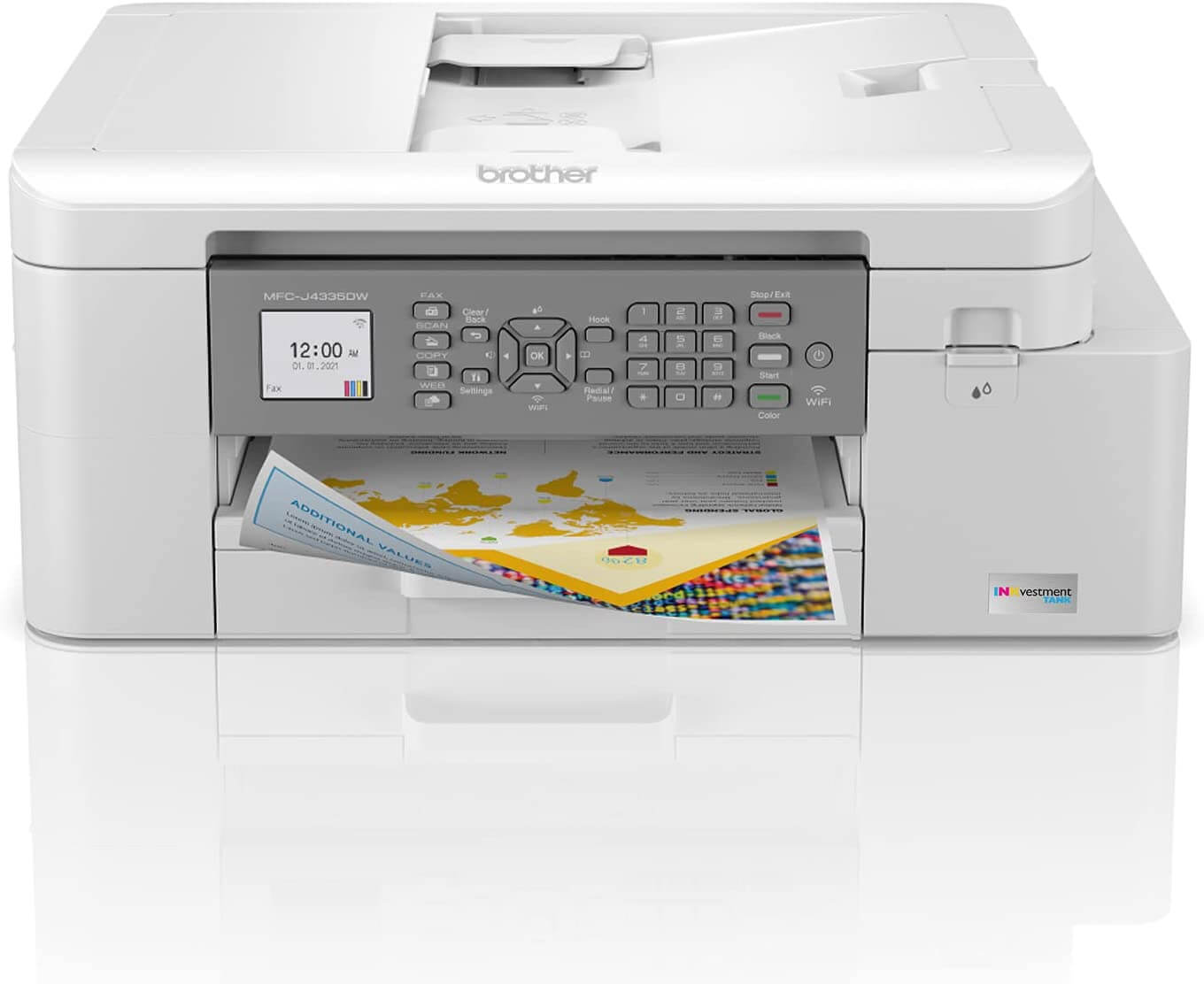
If you’re on the hunt for a printer that won’t break the bank, the Brother MFC-J4335DW is worth a look. The New York Times gives it a thumbs up as their budget pick, suggesting it’s a solid choice if you’re not a frequent printer or if you just need a basic color printer that can also handle scanning duties.
Now, let’s talk ink – because let’s face it, that’s where printers usually get you. But this Brother model has a trick up its sleeve. Forbes says that it uses a hybrid ink tank/cartridge system that’s quite the overachiever. We’re talking about a single set of ink cartridges potentially lasting up to a year. That’s right, a whole year! Their high-yield cartridges can pump out up to 6,000 black pages or 5,000 color pages per refill. It’s like the Energizer Bunny of printers – it just keeps going and going.
But wait, there’s more! PCMag points out that this printer comes with a fax capability. Sure, you might not use it often (does anyone still fax?), but it’s there if you need it. They also praise its paper handling and give a nod to its text and graphics quality. However, it’s not all roses – the automatic document feeder doesn’t handle double-sided pages. So if you’re dealing with a lot of two-sided documents, you might need to flip them manually. It’s a small hiccup in an otherwise impressive budget-friendly package.
4. Canon PIXMA TR8620a
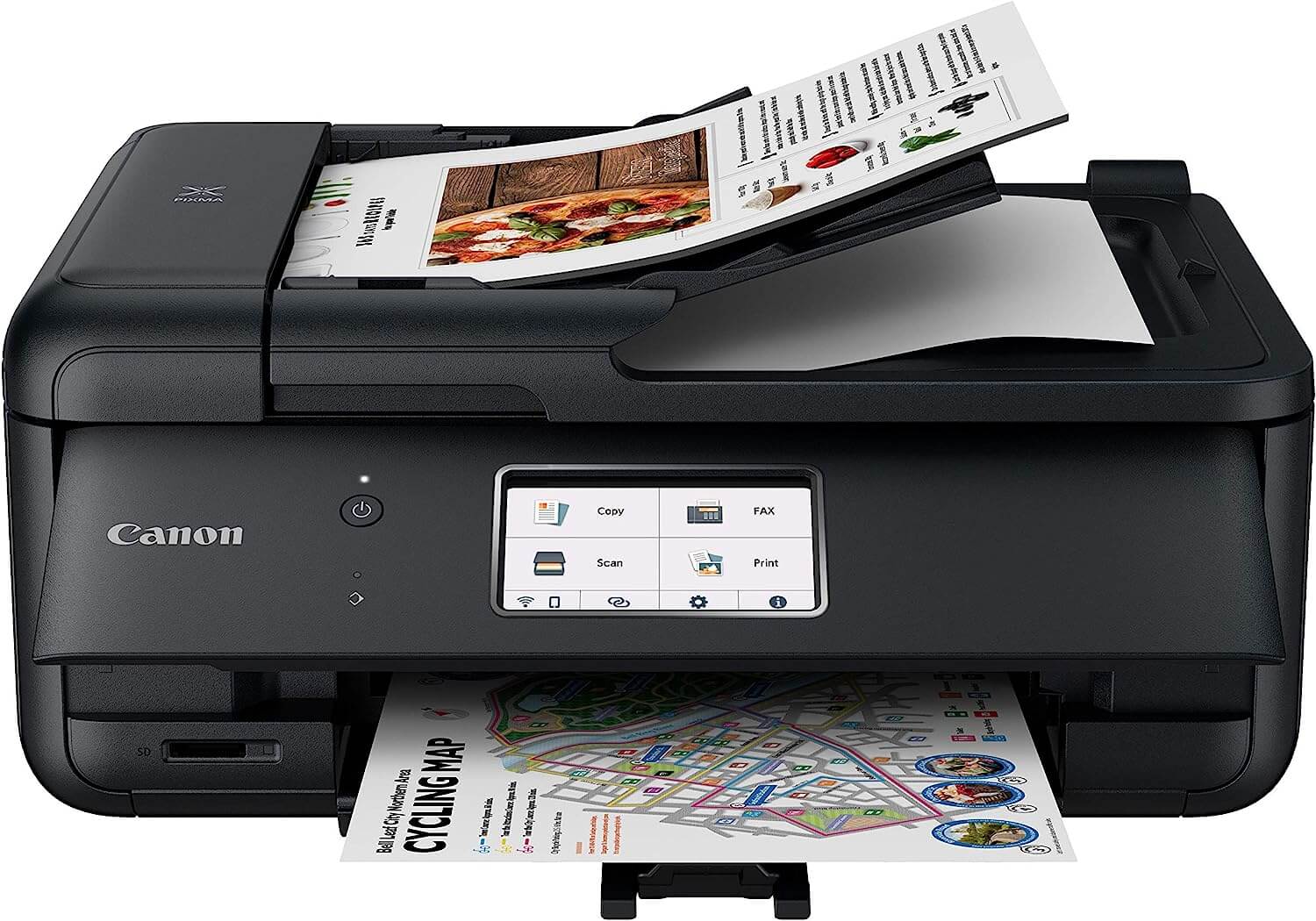
Looking for a printer that can do it all? The Canon PIXMA TR8620a might just be your new best friend. This wireless inkjet wonder is turning heads with its versatility. Tom’s Guide is particularly impressed with its user-friendly 4.3-inch color touchscreen – no more squinting at tiny LCD displays! And if you’re all about that smart home life, you’ll be glad to know it plays nice with Amazon Alexa and Google Assistant. It’s like having a little printing wizard at your command.
The Spruce recommends this model, too, highlighting its excellent print quality and zippy print speeds. If you’re constantly juggling different types of documents, you’ll love the dual paper trays – no more swapping paper in and out every time you switch from envelopes to photo paper. And with a flatbed scanner and an automatic document feeder, it’s ready to tackle whatever office tasks you throw at it. Plus, with a 1,000-page monthly duty cycle, it’s built to keep up with most home office demands.
Now, if you’re a budding photographer or just love printing out your vacation snaps, RTINGS.com has some good news for you. They reckon the PIXMA TR8620a is a solid choice for photo printing, noting that it produces more vibrant and less grainy pictures compared to some competitors. However, they do point out that it might not be as economical when it comes to ink usage. So while your photos might look great, your wallet might feel a bit lighter. It’s a classic case of quality vs. quantity – you’ll have to decide which matters more to you.
5. Epson EcoTank Pro ET-5850
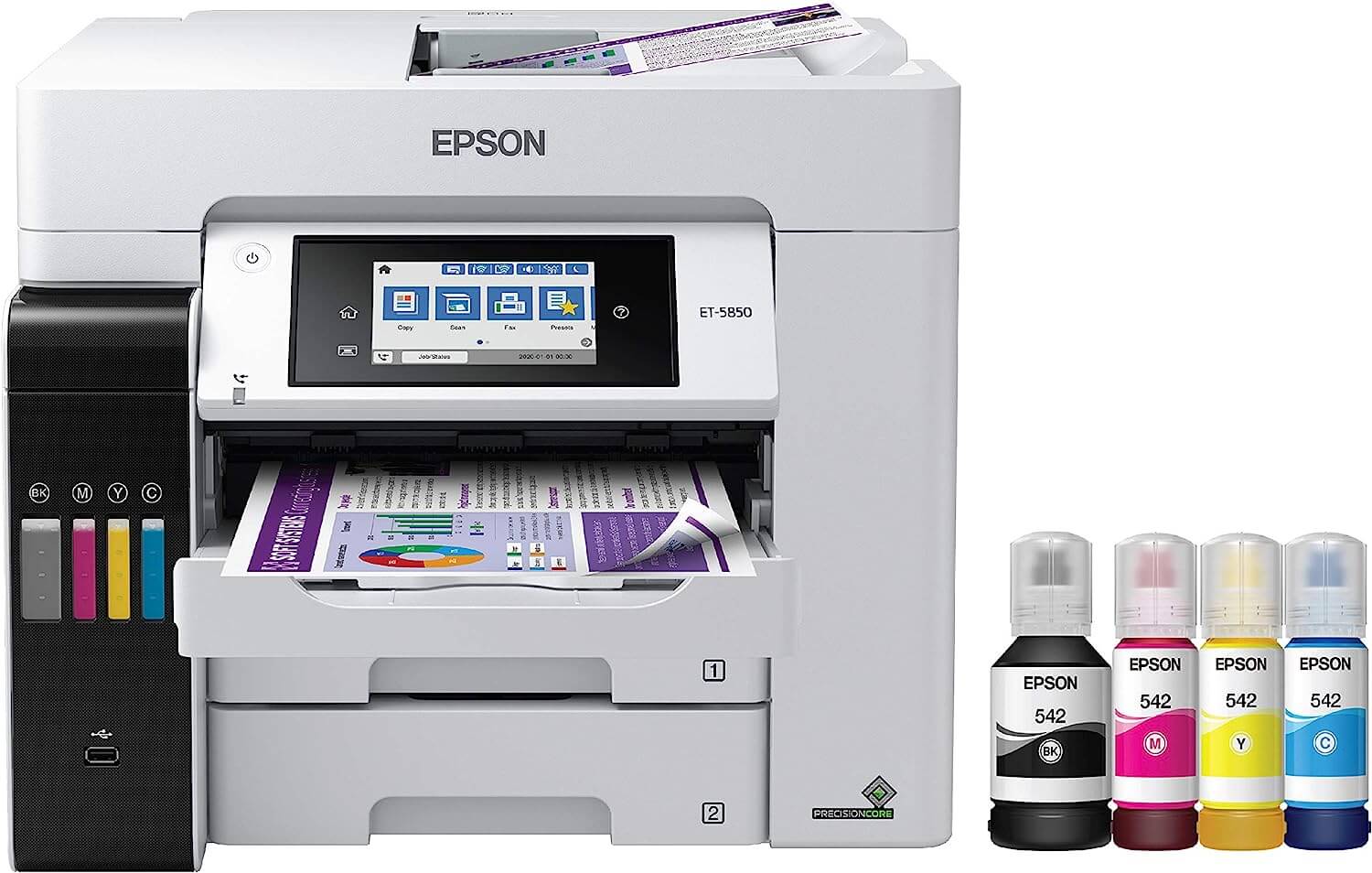
If you’re running a busy office or you’re just a printing powerhouse, the Epson EcoTank Pro ET-5850 might be your new best friend. SlashGear says that it can handle up to 3,300 pages per month. That’s enough to make most offices swoon!
Now, let’s talk speed and quality. Tom’s Guide is practically gushing about this printer’s performance. They say it’s one of the fastest printers they’ve seen, and it’s not just quick – it’s producing text that’s giving laser printers a run for their money. It’s also a speed demon when it comes to copying and scanning. It’s ready to tackle whatever you throw at it.
Here’s where it gets interesting – this printer ditches the traditional cartridges for refillable ink tanks. And Epson’s not stingy with the ink either. Tech Junkie points out that you get two free bottles of black ink and a set of color inks right out of the box. It’s Wi-Fi enabled too, though Bluetooth fans might be a bit disappointed. Now, fair warning – this printer is the priciest on our list. It’s definitely more of a “treat yourself” purchase than a budget buy. But hey, if you’re printing like there’s no tomorrow, it might just be worth the splurge!
Sources:
Note: This article was not paid for nor sponsored. StudyFinds is not connected to nor partnered with any of the brands mentioned and receives no compensation for its recommendations. This article may contain affiliate links in which we receive a commission if you make a purchase.


